
Employee Salary Adjustment
Update on Employee's Salary Adjustments can be done in two ways:
- Update Salary Adjustments for each employee individually in the Employee Profile
- Update Salary Adjustments via Upload Template
How to Adjust Employee Salary Individually
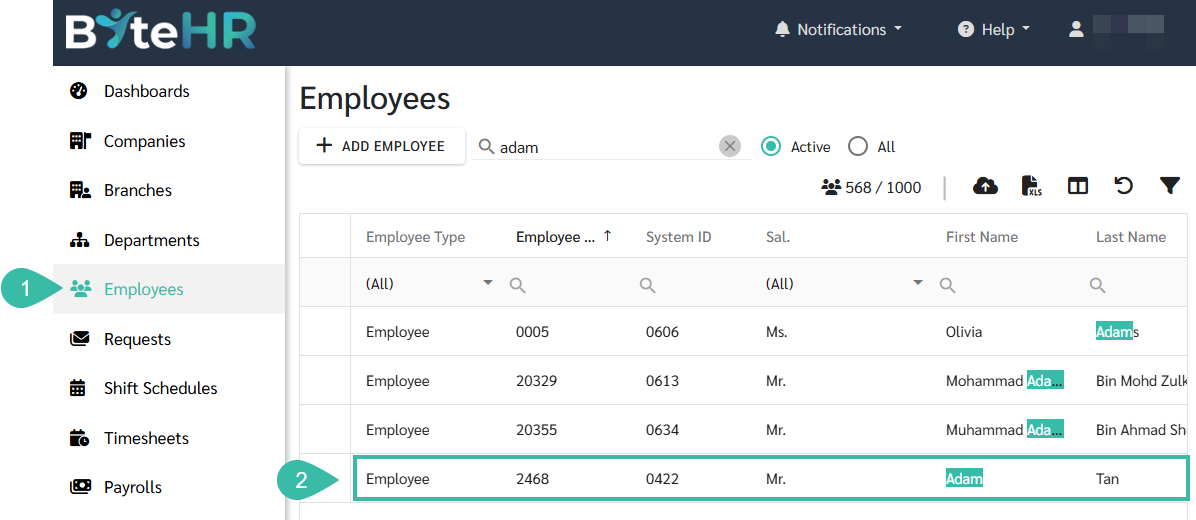
- Go to the Employees tab.
-
Select an employee you would like to update salary adjustments.
-
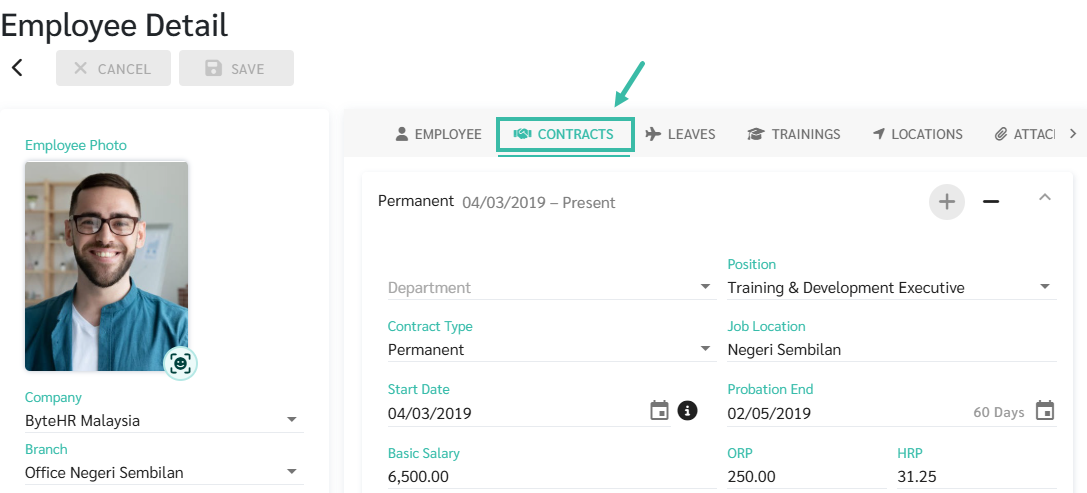
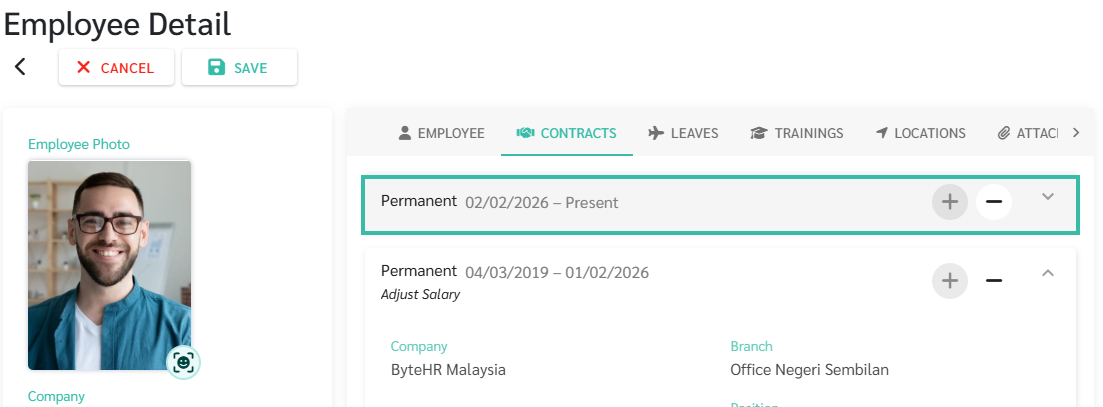
Click on the Contracts tab, in the Employee Detail page.
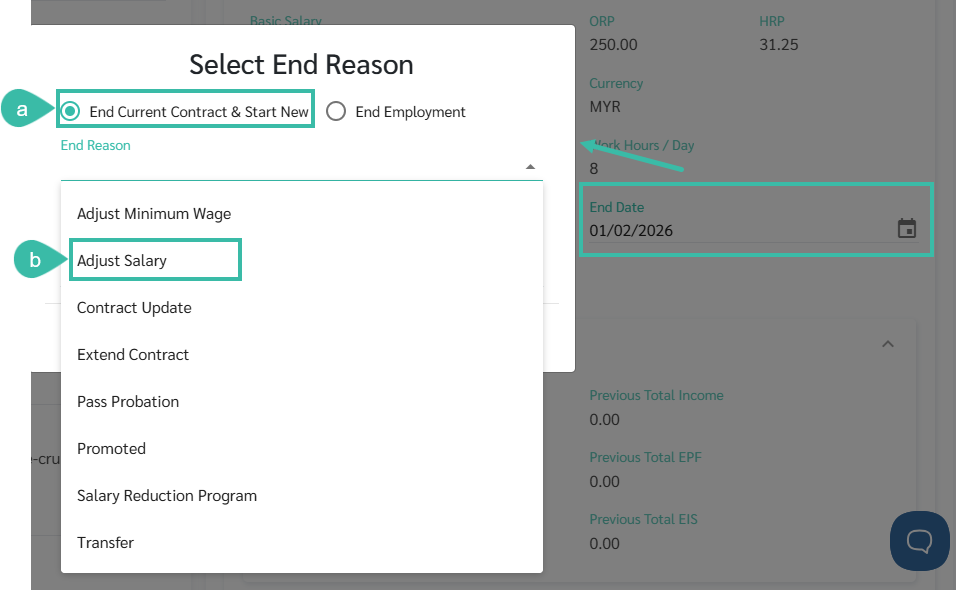
- Specify the Contract End Date to close the current employment contract.
- Select End Current Contract & Start New.
-
Select the End Reason: Adjust Salary from the dropdown list.
-
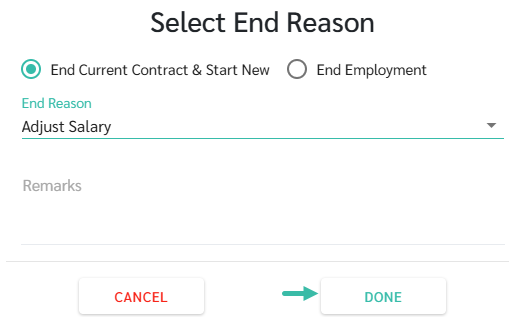
Click Done.
-
The system will add a new employment contract for the employee.
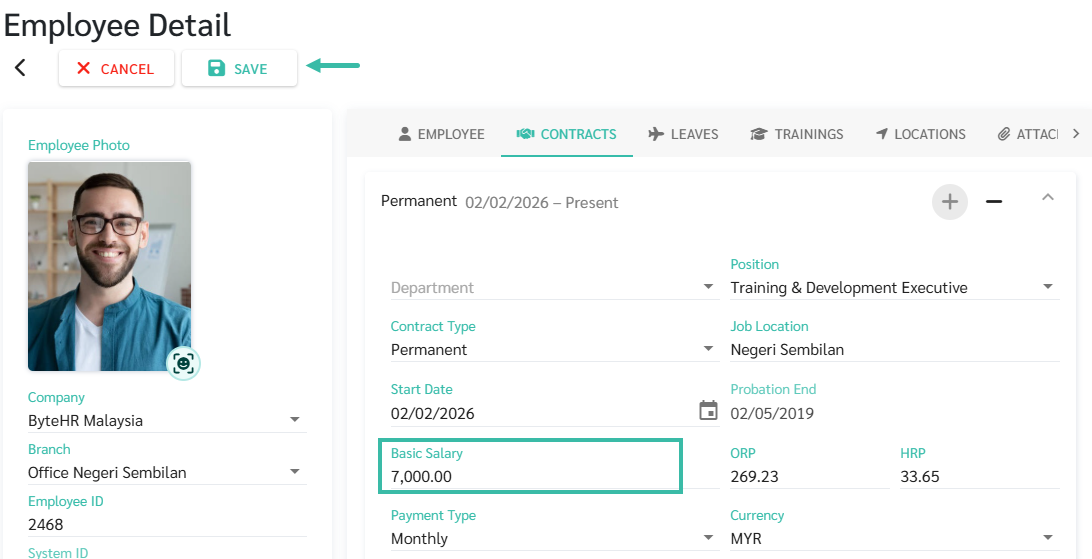
- The admin should specify the Basic Salary for the new contract.
-
Once completed, click Save.
How to Adjust Employee Salary for Multiple Employees Simultaneously
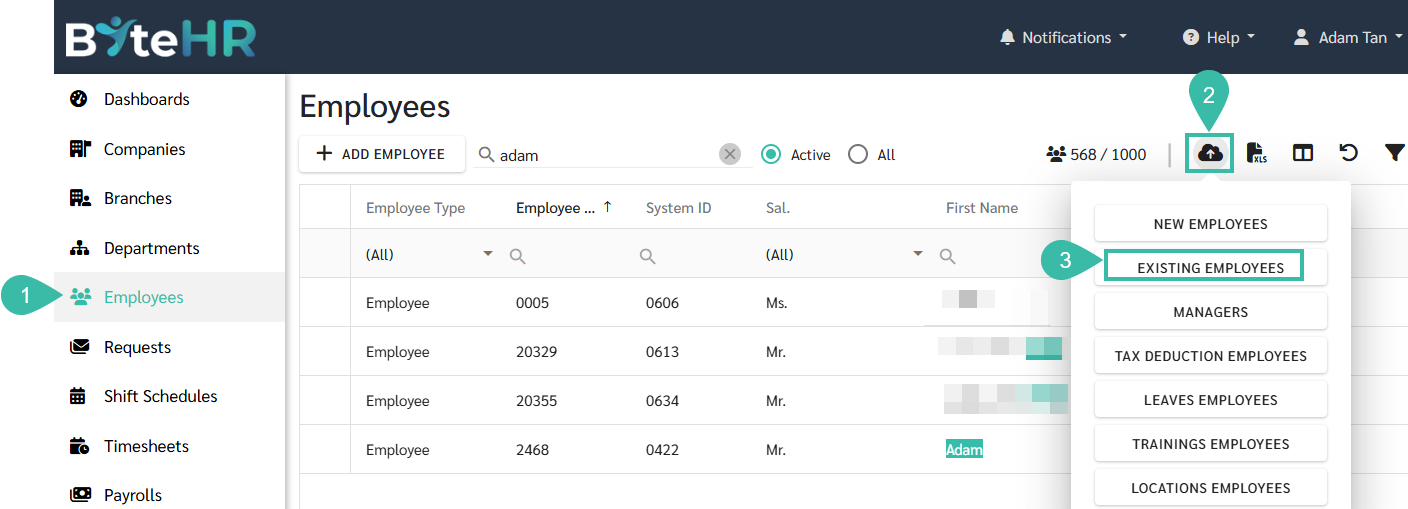
- Navigate to the Employee menu.
- Click on the Upload Employees icon.
-
Select Existing Employees.
-
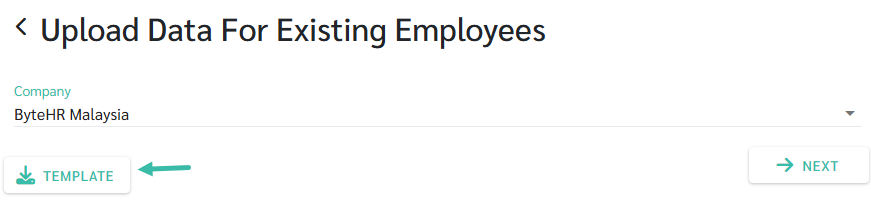
Click Template to download the template.
- Fill in the required information as follows:
- Employee ID.
- Start Date: Specify the effective date of new basic salary
- Basic Salary: Enter the amount of new basic salary.
- ORP & HRP. Enter the new overtime rate.
- Add an End Date column. Enter the contract end date for your current employment contract.
-
Add a "Contract End Reason" column. Enter the reason for end contract, such as salary adjustment, etc.

-
Once completed, return to the Upload Data for Existing Employees, select company, and click Next.
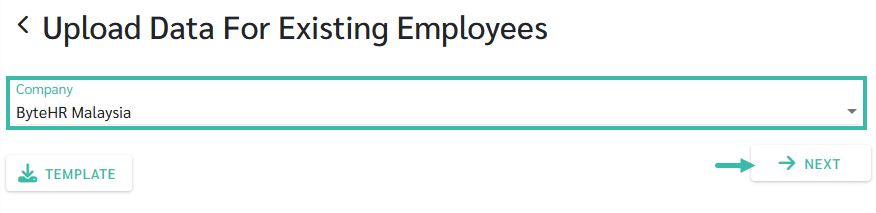
-
Select a file to upload.
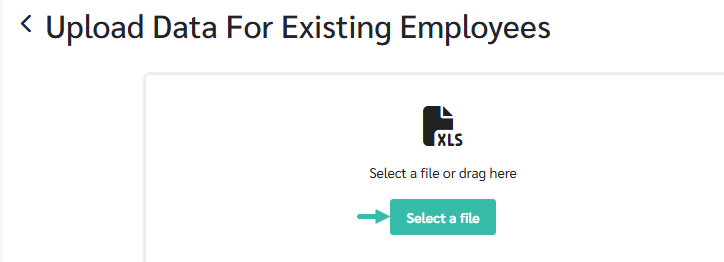
- Map the fields accordingly.
-
Once completed, click Upload.
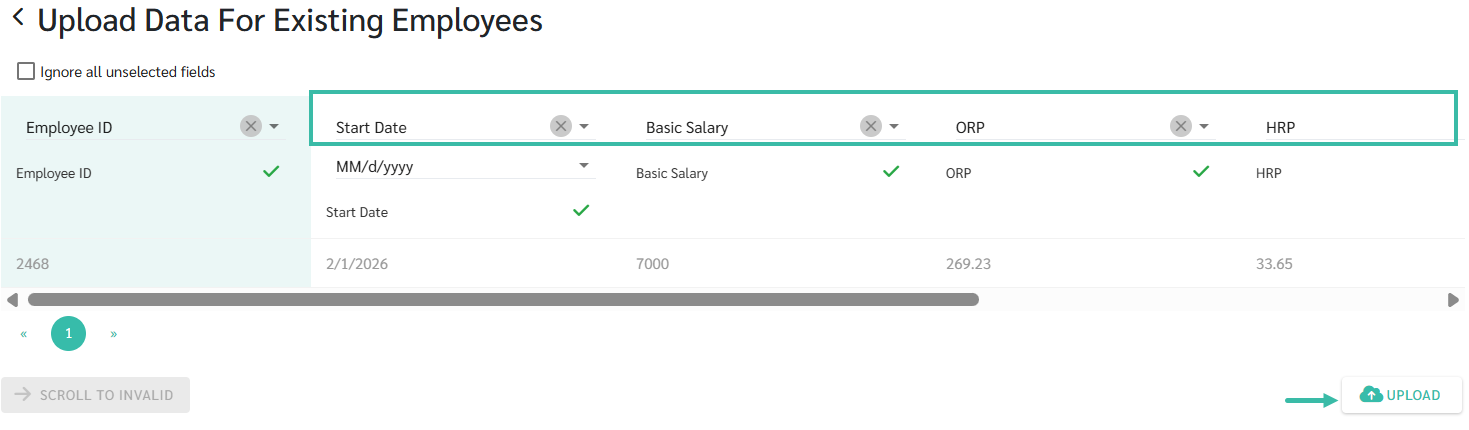
Example of filling in the information in the Upload template.
As shown in the example below, the employee's new basic salary is RM 7,000, effective February 1, 2026.
🚩Warning
- Please verify the employee's contract end date before uploading.
- Incorrect end dates can only be corrected manually for each employee.
📃Note
- If an employee has multiple employment contracts, the system will always calculate the employee's length of service starting from the first contract.