How to Adjust the Salary for Multiple Employees Simultaneously
Adjust the Salary for Multiple Employees Simultaneously.
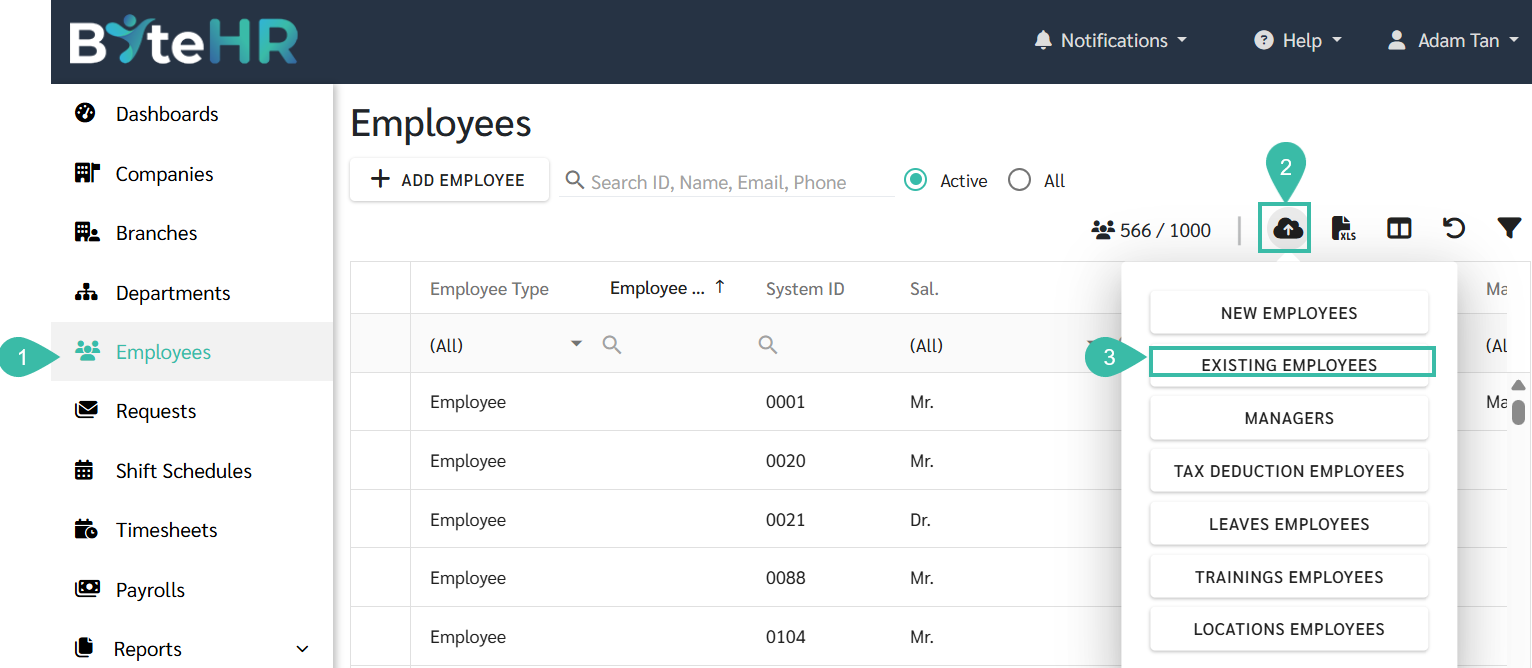
- Go to the Employee tab.
- Click on the Upload Employees icon.
-
Select Existing Employees.
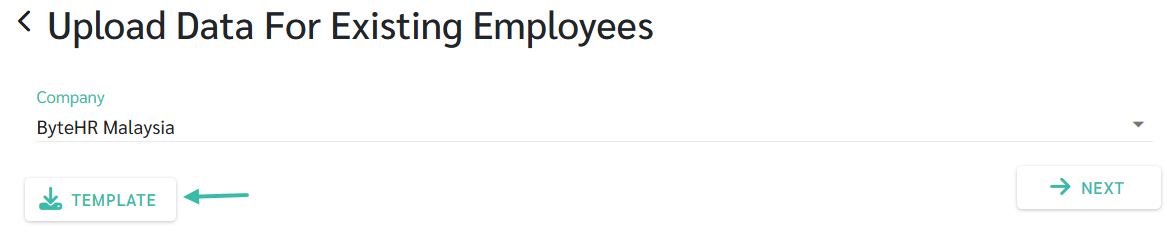
- Upload Data for Existing Employees page will be displayed.
-
Click Template to download the upload template.
- Fill in the required information in the template as follows:
- Employee ID
- Start Date: Specify the effective date of the new salary.
- Basic Salary / Base Salary: Enter the updated salary amount.
- ORP and HRP: Enter the updated ORP and HRP rate.
- Add an End Date column. Enter the end date for your current employment contract.
-
Add a "Contract End Reason" column: Provide a reason for end contract, such as Adjust Salary, etc.

-
Once completed, return to Upload Data for Existing Employees page, select Company and click Next.

-
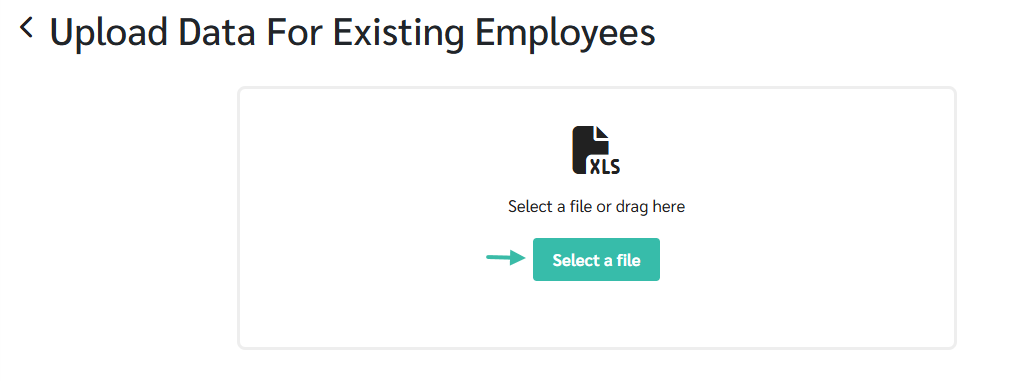
Upload the file in the system.
-
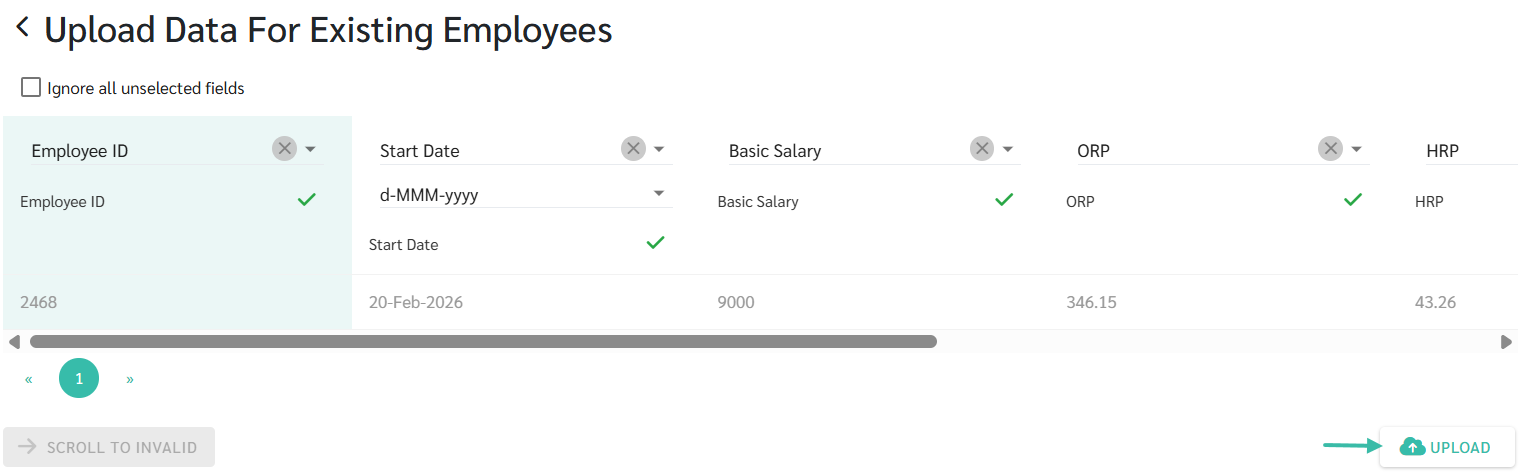
Match the fields accordingly.
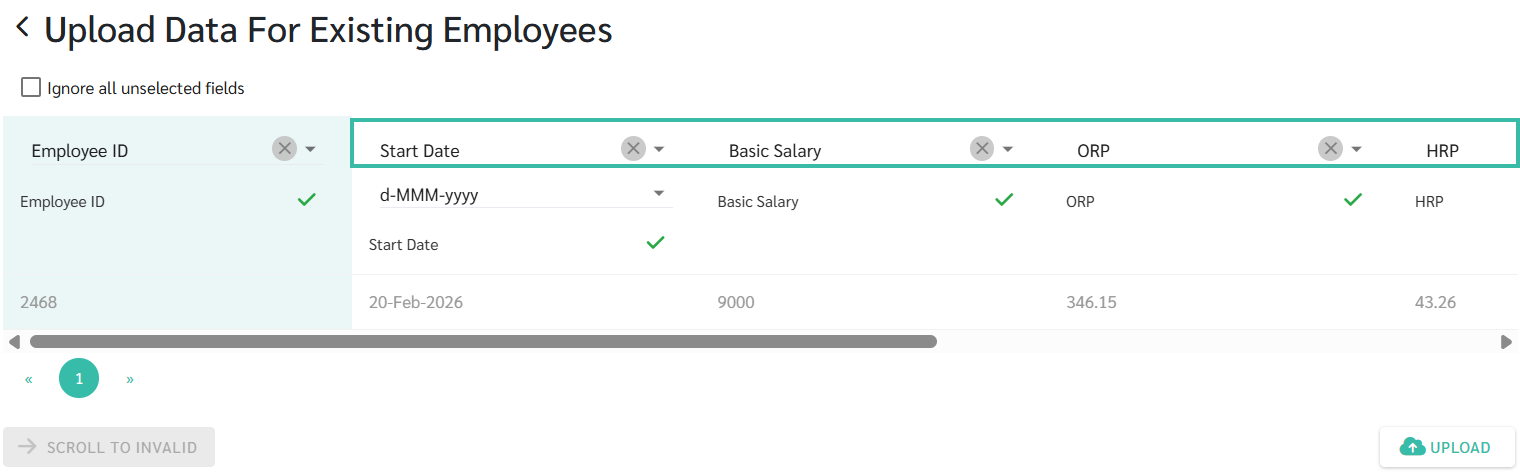
-
Click Upload to complete the process.