
ByteHR Web App (Employee View)
How to use ByteHR Web App
- Employees can access the ByteHR Web App at the following link.
- When employees log in to the ByteHR system, they will find the following functions:
- My Details
- My Requests
- Manager Requests
- Calendars
- Reports
- Reviews
- Announcement
My Details
- This will display employee personal information such as Company, Branch, Employee ID, Name, Email, Phone, Employee Type, Tax Number, NRIC Number, Passport Number, EPF Number, Zakat Number, Birth Date, Gender, Marital Status, Nationality, SOCSO Number, SOCSO Scheme, EIS, Manager Level 1 & 2, House Address, and Bank Account Details for salary transfers.
-
If eCheckin is enabled, employees can sign in/out via the web app on this page. However, if Face Scan is used, employees must sign in via their mobile app.
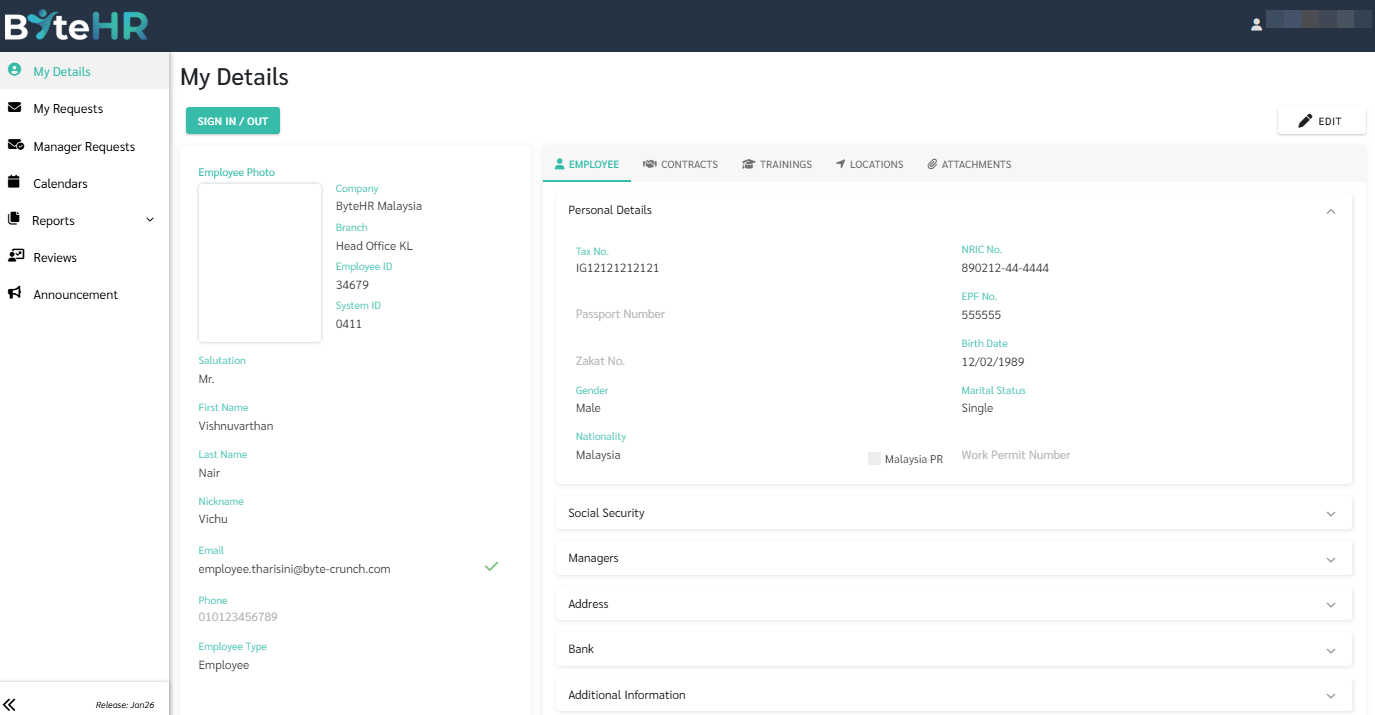
- If the admin does not want employees to clock in via the web app and only wants them to clock in via mobile, the admin can go to the Preferences -> Account -> Settings -> and then check the option "eCheckin - Only Mobile".
My Requests
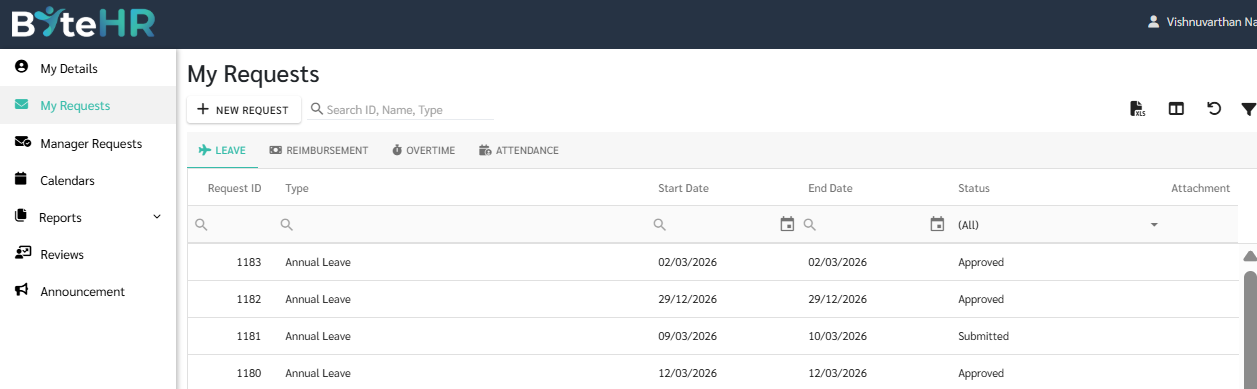
- Employees can submit Leave Requests, Reimbursement Requests, Overtime Requests, and Attendance Requests by clicking + New Request.
-
Each Request type will display details of the request and its status.
Manager Requests
When an employee is assigned as a Manager, they can view their subordinates' Requests and can choose to either Approve or Reject their Requests.

Calendar
Employees can view their Shift Schedule calendar showing details such as Shift Start/End Times, Sign In/Sign Out times, Weekly Days Off, Public Holidays, Leave Days, Shift Changes, Absences etc.

Reports
- Reports for employees include:
-
Personal
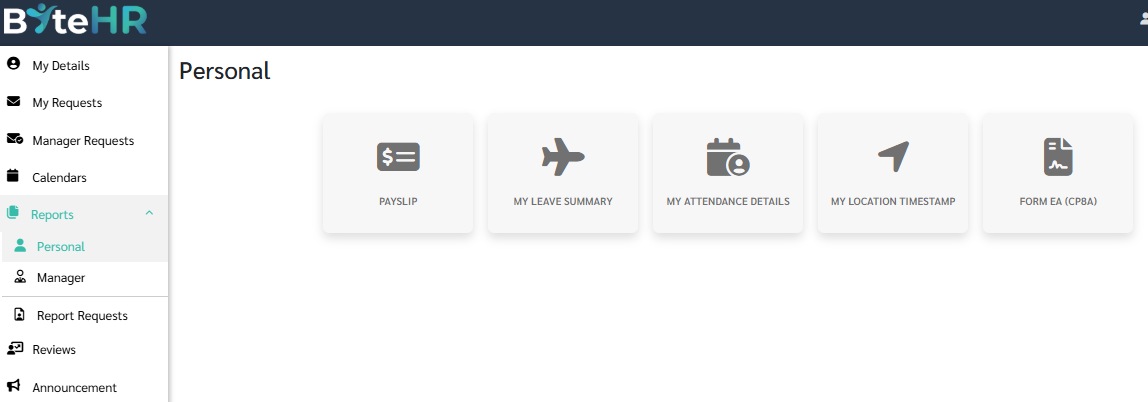
- Payslip
-
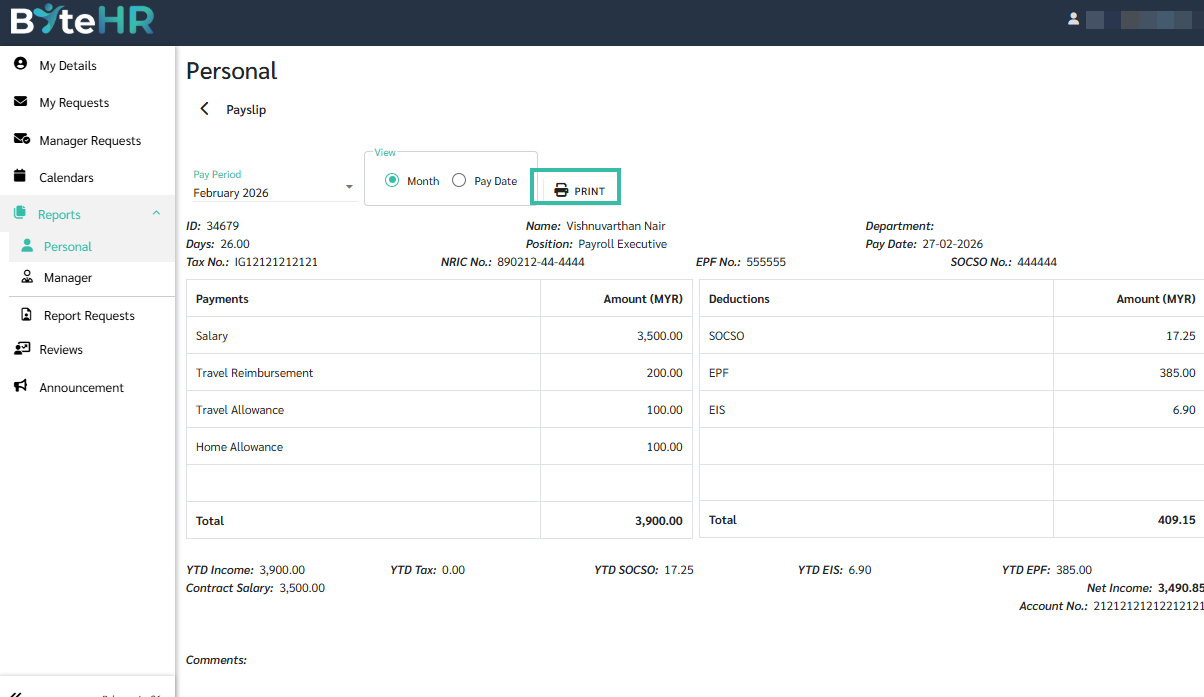
Clicking Payslip, and selecting the View will display employee's payslips and they may print it.
-
- My Leave Summary
-
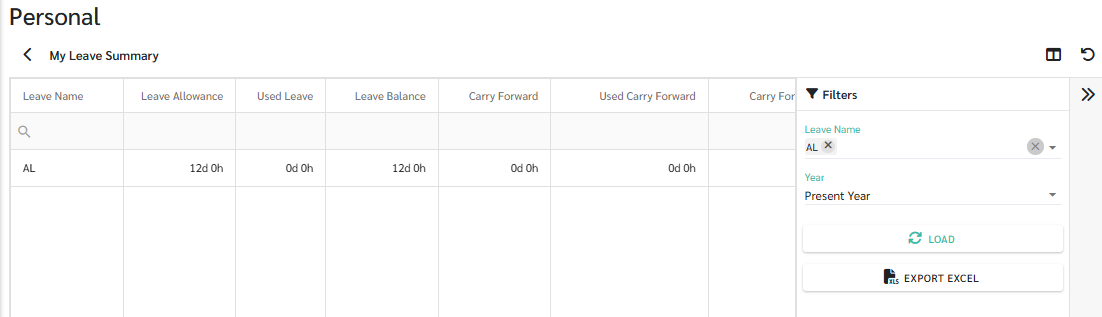
This report displays the summary of Leave Allowance, Used Leave, Leave Balance, Carry Forward Leaves, Used Carry Forward, Carry Forward Balance, and Carry Forward Forfeit for each type of Leave the employee is entitled for.
-
- My Attendance Details
-
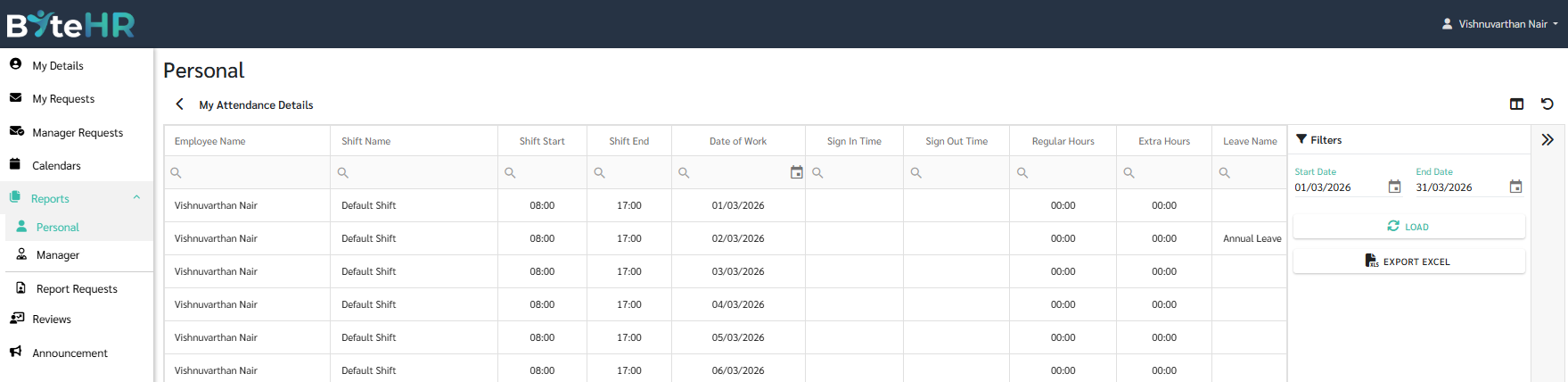
The report summarizes the employee's Shift details, such as Shift Start/End, Date of Work, Sign In/Out Time, Regular Hours, Extra Hours, Overtime Hours/Days, Late Minutes/Days, Out Early Mins, Absent, Leave Days/Hours, Day Off.
-
- My Location Timestamp
- The report summarizes the employee's Shift time entries in the Timestamp column.
- If a Location is specified, it will be displayed in the Location Name along with the Latitude and Longitude.
- If eCheckin type is enabled, the Photo will be displayed in the Photo column.
- Form EA (CP8A)
- Shows employee's EA form.
- Payslip
- Manager
- Manager Leave Summary
-
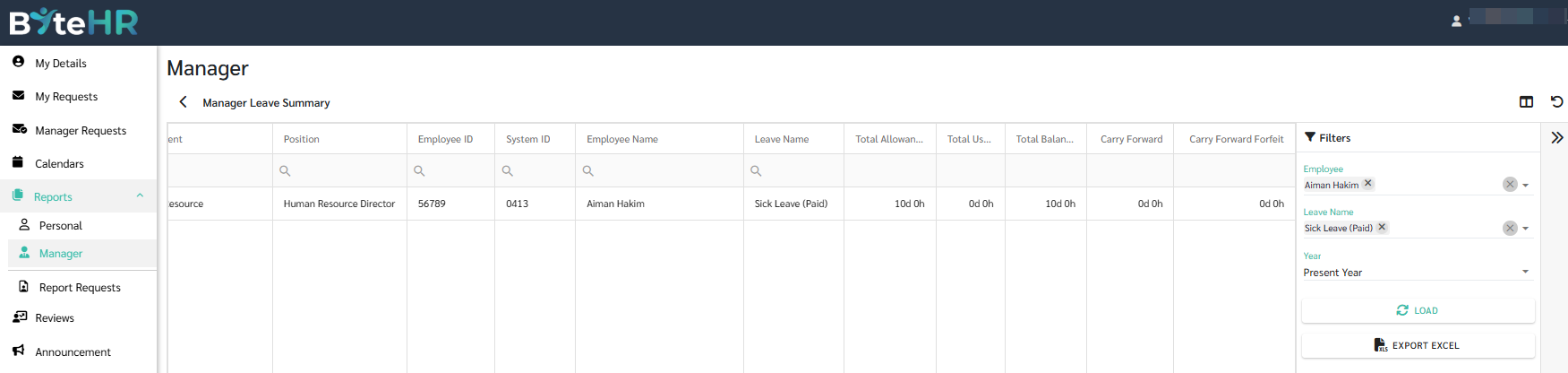
This report displays a summary of the total Leave Allowance, Total Used, Total Balance, Carry Forward, and Carry Forward Forfeit for each type of leave for each employee.
-
- Manager Attendance Details
-
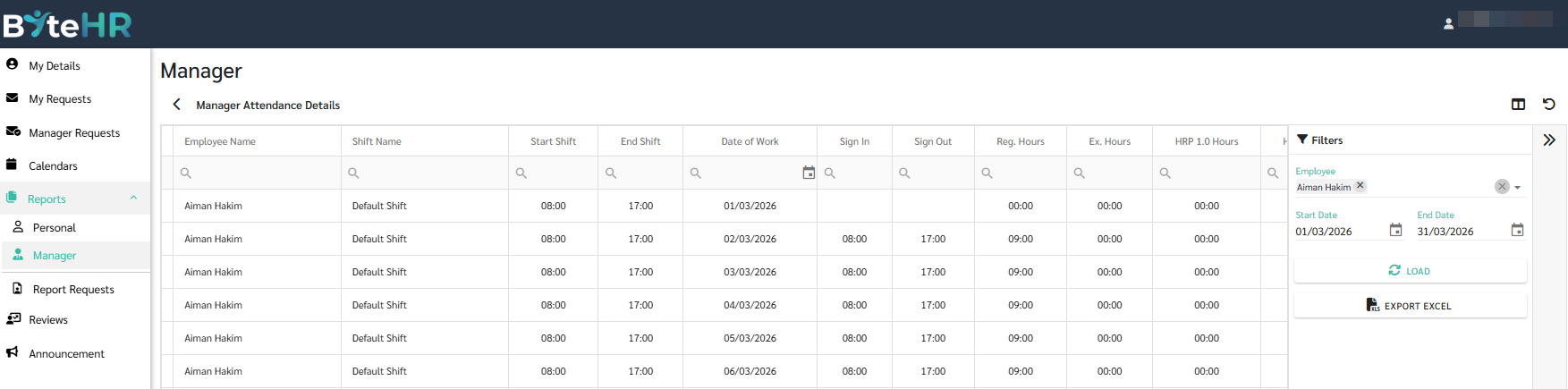
This report displays a summary of employee's work details like Start/End Shift, Date of Work, Sign In/Out times, Regular Hours, Extra Hours, Overtime Hours/Days, Total Hours, Late minutes/Day, Out Early Minutes, , Absent, Forget Scan Days, Holidays Days, Leave Days, Days Off.
-
- Manager Location Timestamp
- This report displays a summary of employee timestamps.
- If a Location is specified, it will be shown in the Location Name column along with the Latitude and Longitude shown in the respective columns.
- If eCheckin type Face Scan or Photo is selected, it will be displayed in the Photo column.
- Manager Review
- Manager Leave Summary
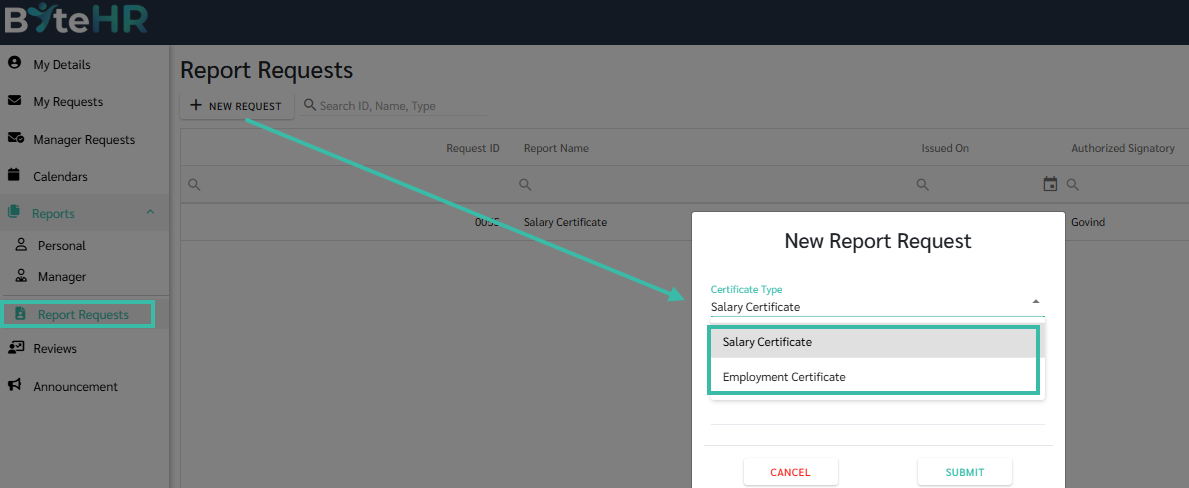
- Report Requests
- Salary Certificate
- Employee's can submit Salary Certificate request.
- Employment Certificate
-
Employee's can submit Employment Certificate request.
-
- Salary Certificate
-
