Change Password in the Web App
If a user wants to change their password, they can do so as follows:
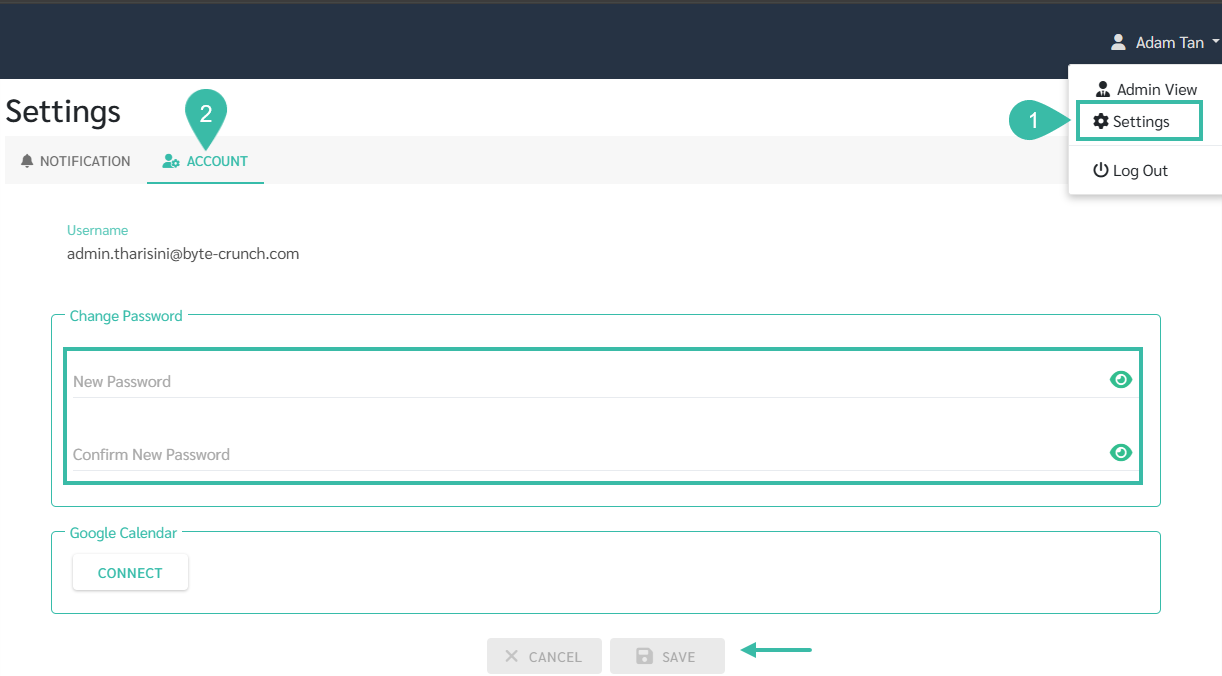
- Click the username in the upper right corner of the window and select Settings.
- Go to the Account tab.
- The system will display your current username.
- Enter your new password in the New Password field.
- Confirm your password in the Confirm New Password field.
-
Click Save.