
Hide Inactive Departments
How to Hide Inactive Departments:
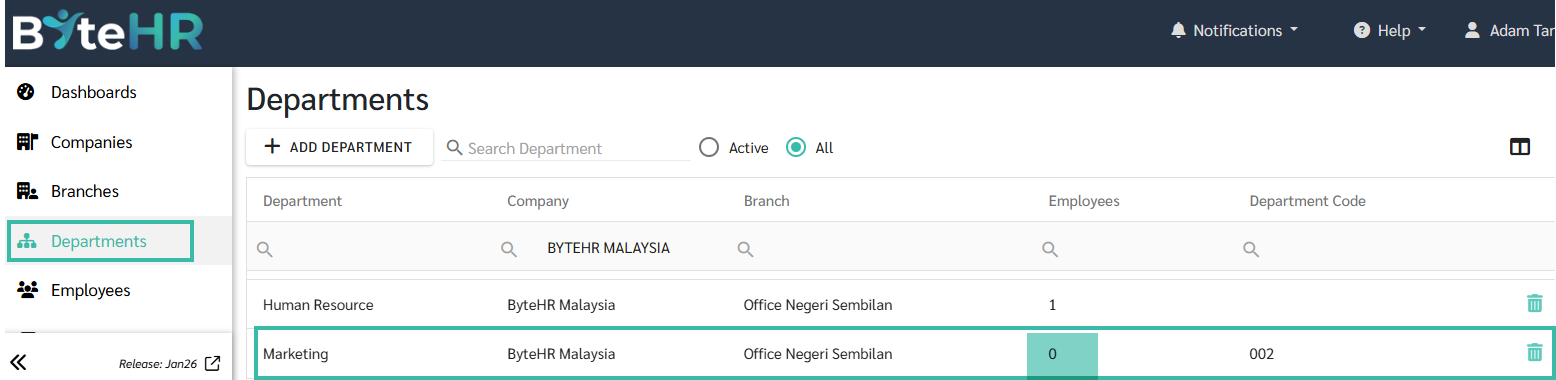
- In the Departments tab, select the Department you want to hide from the system.
-
The department must have no current employees (Employees = 0).
-
-
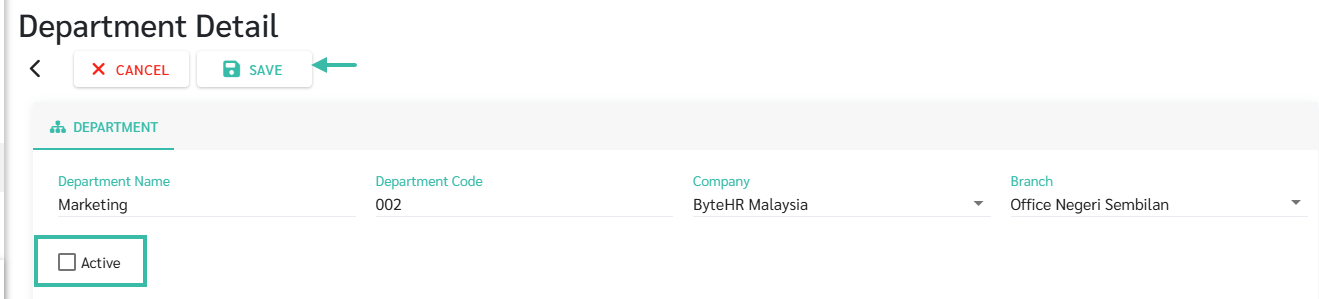
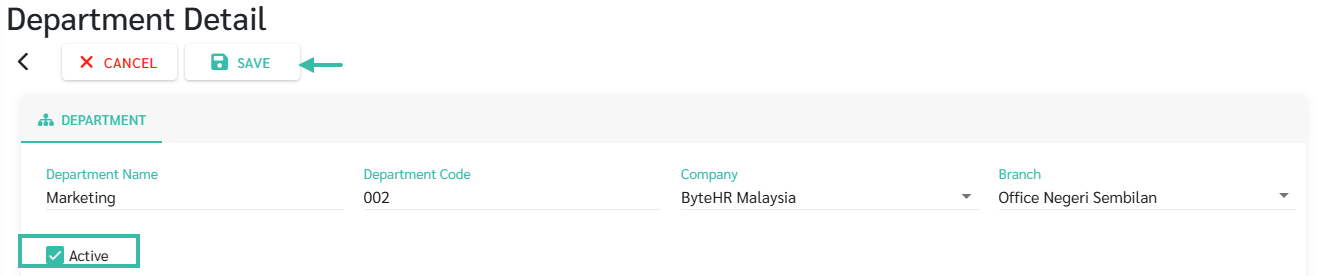
Uncheck the "Active" box, then Save.
-
The department's status will change to "Inactive." Inactive departments will be hidden from the system, such as dropdown menus, but previously created data, such as government reports, will remain.
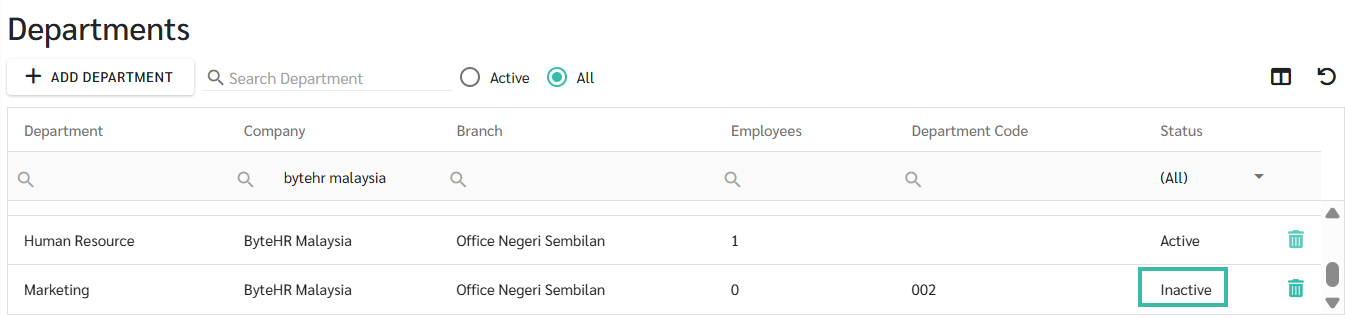
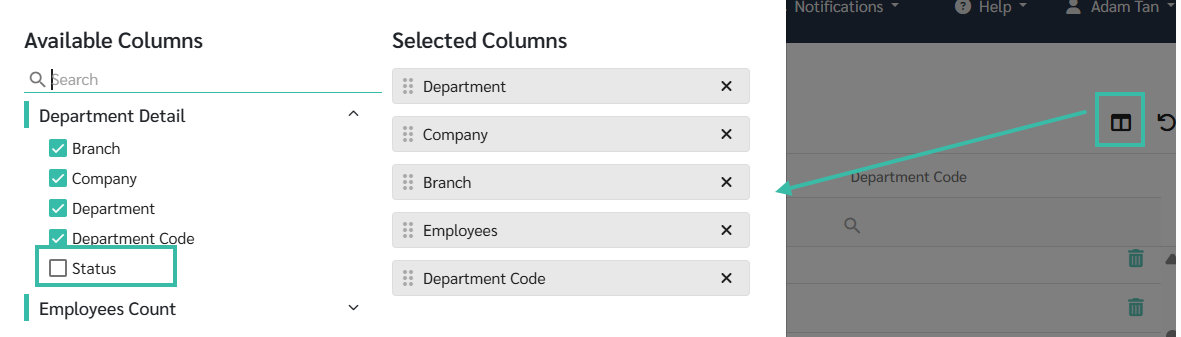
*Admins can display the Status column in the Column Chooser.
-
To reactivate the department, check the "Active" box and save.
📃Note:
Inactive departments will still allow access to reports, by selecting "Department = All" to retrieve the report.