
Settings to not Save Employee GPS location when Singing In
How to Set Up so that GPS Location is Not Saved.
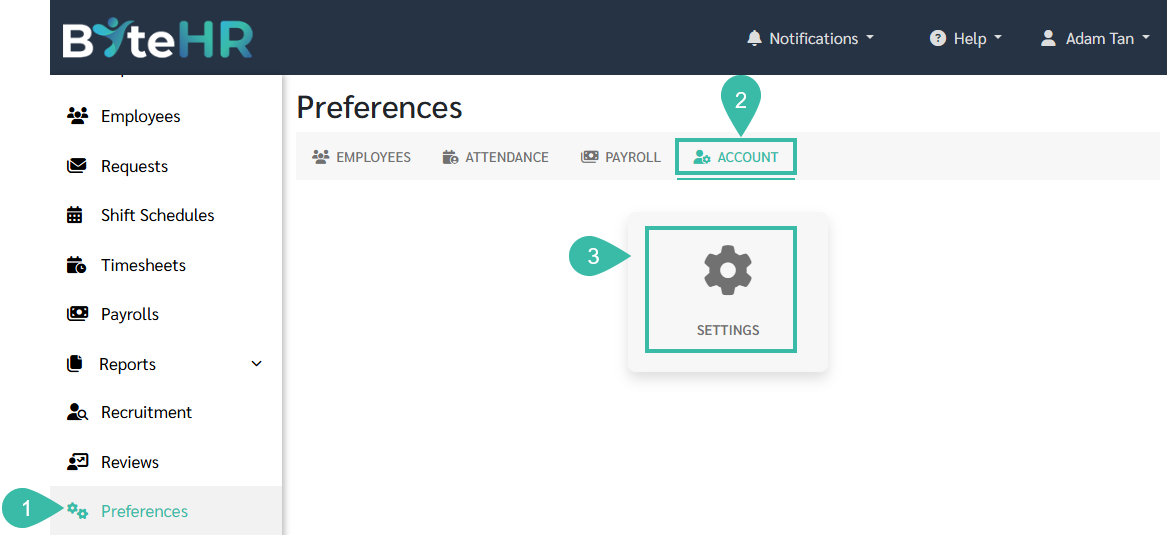
- Go to the Preferences tab.
- Select Account.
-
Click Settings.
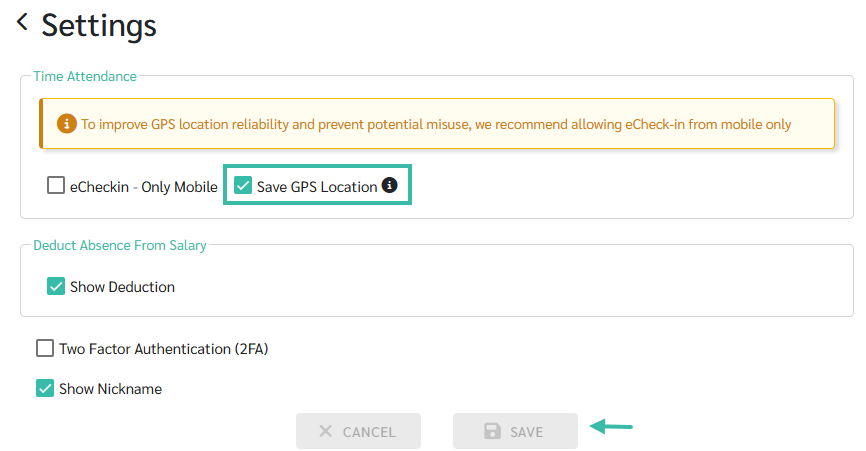
- In the Time Attendance section, uncheck the "Save GPS Location" option.
-
Click Save.
-
Once the setup is complete, the system will not record the employee's GPS location when they clock in or out.

📃Note
This settings only affects eCheckin - Open Location.