Uploading Date Data from an Excel File
Uploading date data from an Excel file.
Question:
Why does the data displayed in the ByteHR program after uploading the date do not match the data in the Excel file?
Answer:
This occurs because the dates in the Excel file are not formatted correctly.
ByteHR recommends setting the date format in your Excel file before uploading it to the system to prevent errors.
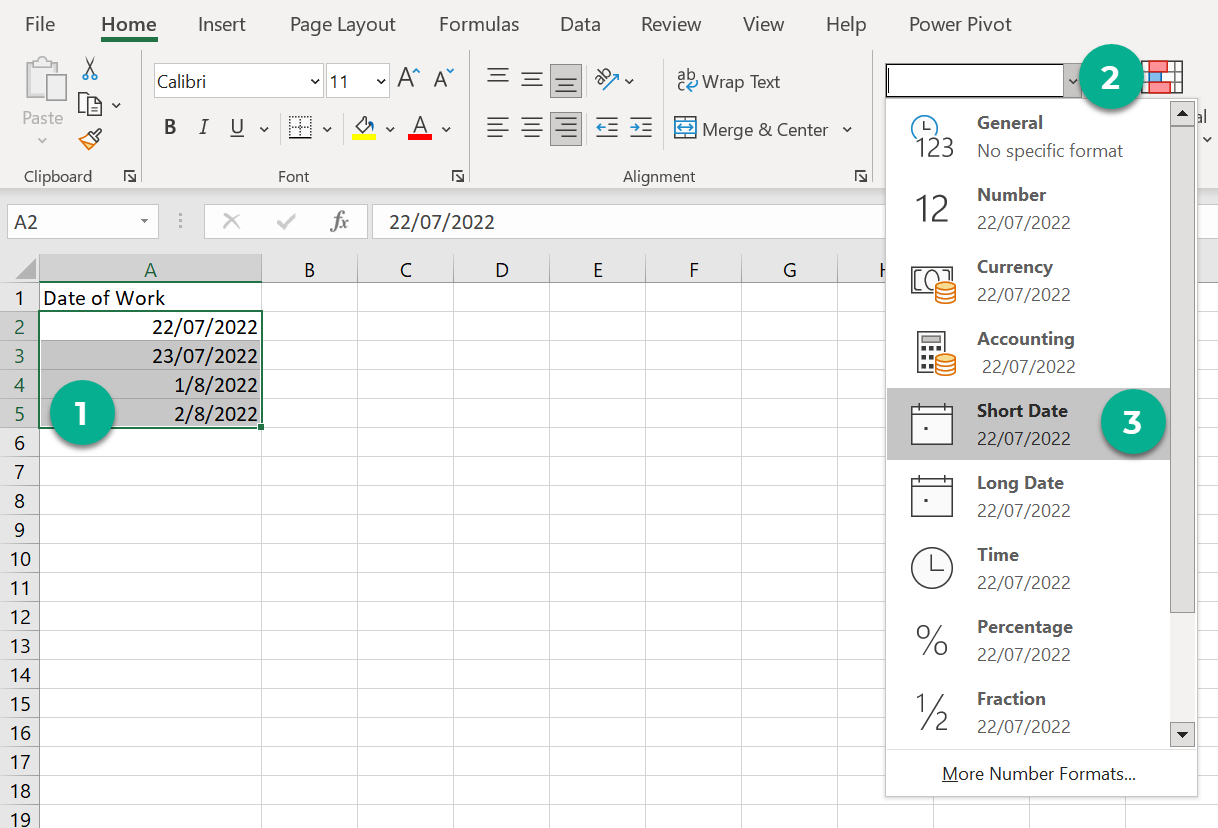
How to set the date format in an Excel file.
- Select the table you want to format the data in.
- In the Home toolbar, click the select button to choose Number Format.
-
For the date format, we recommend choosing Short Date.